


Shutterfly: Prints Cards Gifts
4.691.53K Reviews
App Specs
- Version
- 13.16.0
- Updated On
- License
- Free
- Downloads
- 10,000,000+
- Developer
- Shutterfly, Inc
- Categories
- Photography
- Platform
- Android, iOS
Screenshots
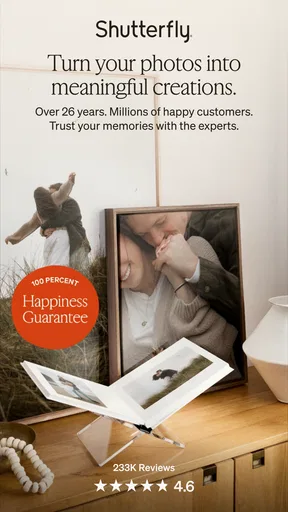
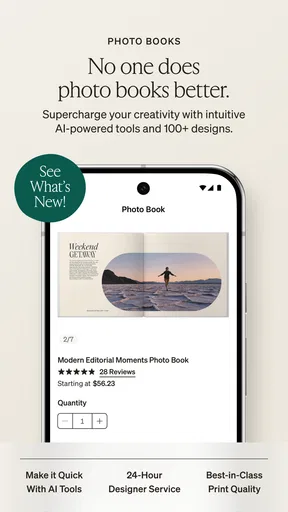
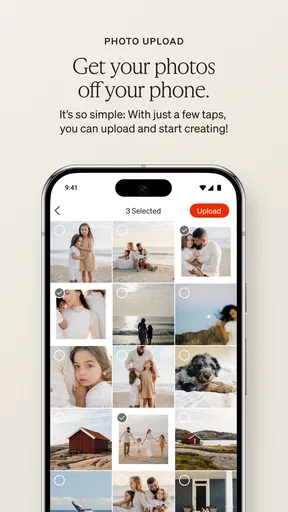
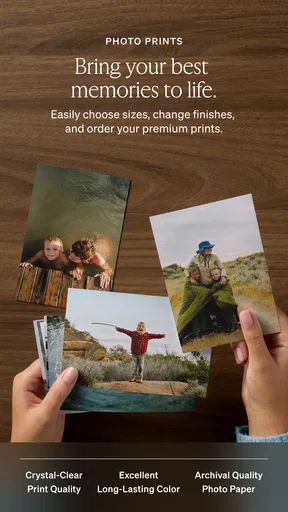

 Analysis by AppCompare
I tend to get stuck before I even start: there are hundreds of photos on my phone, and choosing the right ones can take longer than making the thing I had in mind. Shutterfly: Prints Cards Gifts is aimed at turning that camera-roll backlog into something physical, from prints and photo books to cards and personalized gifts. I find it most useful when I begin with a clear occasion or a small group of pictures rather than trying to organize my entire photo library at once.
Choose the project before sorting every photo
When I’m planning a gift, I first decide whether the pictures belong in a small set of prints, a card, or a longer photo book. That simple choice gives me a manageable starting point. For a travel album, for example, I can pick a few images from each part of the trip instead of scrolling endlessly through every nearly identical shot. It’s a practical way to keep the project from becoming a chore.
This is a photography app from Shutterfly, Inc, but its purpose goes beyond editing images on a screen: it helps turn selected photos into keepsakes. The app is free to install, is rated for Everyone, and its current version is 13.9.1. It has a 4.6 average from around 233,000 ratings and more than 10 million installs, which suggests that many people use it for this kind of photo project. I’d still judge it by whether its physical-product workflow suits what I want to make.
Small checks that can save a project
Before I start designing, I check that the photos I want are available on the device and that I can identify the right versions. A quick pass for duplicates, screenshots, and blurry images makes choosing easier and helps me avoid building a layout around a picture I later want to replace. If I’m making a card, I also decide on the main image and message first; that keeps me from spending time browsing designs before I know what the card needs to say.
For prints, I think about how I’ll use them: a handful for a frame, several copies to share, or a batch for a small album. For a book, I group pictures loosely by event or place before arranging them. These aren’t complicated steps, but they reduce backtracking once I’m in the design flow. The app is most comfortable when I arrive with a rough plan, rather than expecting it to make every creative decision for me.
Making the workflow work for you
Opening Shutterfly for the first time, I was greeted by a bright and user-friendly interface. It's pretty intuitive, so even if you're not a tech whiz, you'll find your way around without much hassle. The app's layout is clean, and all the main functions are just a tap away, which is a huge plus if you're in a hurry or just not in the mood for complicated navigation.
Right off the bat, the app offers a wide array of options: you can create photo books, order prints, design cards, and even customize gifts like mugs and calendars. It's like a one-stop-shop for all your personalized gifting needs. And, let's be honest, who doesn't love a good personalized mug?
Worth Reading Before You Choose

EA SPORTS FC Mobile 26 Is a Bigger Football Game, but It Takes Time

Flipboard Shows What News Apps Must Do Beyond the Feed

Switching to Android Auto Means Rethinking Your Driving Routine

Google Calendar Makes a Crowded Week Easier to Manage

Ludo King Makes the Most of the Minutes Between Plans

Baby Panda World Brings Quick Play to Modern Phones, but Its Game Library Feels Busy
Creating Prints and Photo Books
The process of turning your photos into prints is as simple as pie. You can upload photos directly from your phone, or if you’re organized, from your social media accounts. It's seamless, and the app doesn't skimp on quality. Once uploaded, you can easily select the size and quantity of prints you want.
If an upload slows while I’m selecting a large batch, I don’t immediately assume the whole project has failed. I pause, let the images finish loading, and then continue with a smaller selection if needed. On a weak connection, switching to a steadier one and reopening the project is a sensible first check. I also keep the original photos on my phone until I know the order is complete; that gives me a straightforward way to select them again if I have to resume.
Designing Cards and Gifts
Now, photo books are where things get interesting. Shutterfly offers a range of templates and styles, making it really fun to put together a book that tells your story. Whether it’s a travel diary or a wedding album, there’s something satisfying about flipping through a book filled with your own adventures.
One useful trade-off with a template is that it gives the project a coherent look quickly, but the layout may not match every photo equally well. I’d review each page rather than assume the first arrangement is ready to order. For a book, I look for pictures that are cropped awkwardly or repeated too often, and I check the sequence as a story: opening scene, memorable moments, then a natural finish. That small review is more valuable than trying to decorate every page.
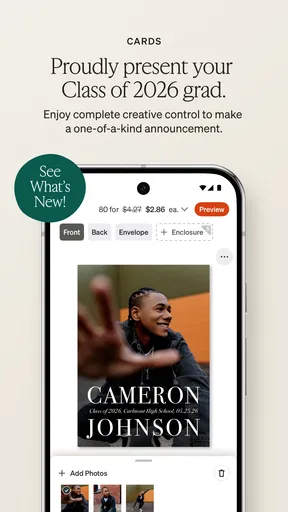
One of my favorite features is the card designing section. Birthdays, holidays, or just because – there’s a card for every occasion. The variety of designs is impressive, and the customization options mean you can add your own flair to each card. Plus, the app frequently updates its templates, keeping things fresh and trendy.
When a hiccup may be outside the app
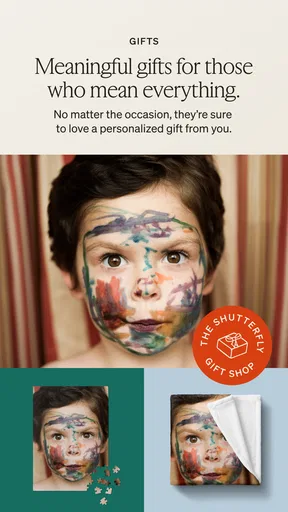
As for gifts, the choices are endless. Think beyond the typical and dive into creating personalized jigsaw puzzles, photo blankets, and even phone cases. The customization options allow for a unique touch, making your gifts truly one-of-a-kind.
Not every frustrating moment points to a problem with the design tools. A photo that looks soft may already be low-resolution or slightly out of focus, and changing the layout cannot restore detail that was never captured. If a picture looks wrong before I add it to a project, I choose another image rather than hoping the finished item will look sharper. For a meaningful gift, I’d rather use one clear photo than fill every available space.
I found the app performed smoothly for the most part. There were a few moments of lag when uploading large batches of photos, but nothing too frustrating. The checkout process was straightforward, and they offer a variety of payment options, which is always appreciated.
If the app seems unresponsive, I first give an upload time to finish and check whether the problem happens with one image or the whole selection. Closing and reopening the app can be a reasonable basic troubleshooting step, as can checking that the phone has a stable connection. I avoid repeatedly tapping the same checkout control while a page is processing; waiting briefly helps prevent confusion about whether an action went through. If an order raises a question, I keep its details handy when contacting support.
Who will get the most from it
Also worth mentioning is the app’s customer service. If you run into any trouble, their support team is just a message away. I had a minor issue with an order, and they handled it promptly and efficiently. It's nice to know there's help on hand when you need it.
I’d recommend this for someone who wants to make a physical keepsake without moving between a photo editor, a layout tool, and a separate ordering service. A parent making a birthday card, a friend putting together a small travel book, or someone gathering a few prints for relatives can all benefit from keeping the selection and design process in one place. A realistic use is choosing a handful of family photos during a quiet evening, making a card for an upcoming celebration, and checking the final design before placing the order.
It’s less suited to people who only want to adjust lighting, remove distractions, or share edited pictures online. A dedicated photo-editing app is a better choice for detailed retouching, while a general gallery app is simpler if all I need is to browse and share images. Shutterfly’s strength is the step from digital picture to personalized physical item, not replacing those other tools.
Picking the right alternative
Compared with the usual alternatives, the key difference is the end goal. A basic print-ordering service can be more direct if I only want copies of a few photos. A design-focused tool may offer more control when I’m creating a graphic from scratch, and an editor is better for improving the image itself. I choose this app when the appeal is combining photos with a product format such as a book, card, or gift, and I’m comfortable spending time reviewing the design before ordering.
It also helps to treat a project as something I can refine, not a task I need to finish in one sitting. I make the initial selection, check the layout, and come back for a final look with fresh eyes. That second pass often catches a duplicate, an image that doesn’t fit the occasion, or a message that needs a little editing. The extra attention matters most for books and cards, where sequence and wording shape the finished keepsake.
My practical verdict
All in all, Shutterfly: Prints Cards Gifts is a fantastic app for anyone looking to bring a personal touch to their memories. It's not just about printing photos; it's about creating something meaningful. Whether you're making a heartfelt gift for someone special or treating yourself to a customized keepsake, this app covers all the bases.
My recommendation comes with one condition: start with a realistic project and give yourself time to check it. If you want fast, detailed image editing or a purely digital album, I’d use a different kind of app. If you have pictures you’d like to turn into a thoughtful card, a book, prints, or a personalized gift, this is a convenient place to begin. The app was released on June 11, 2013, and I see its lasting appeal in that focused, tangible outcome rather than in elaborate editing tools.
If you're ready to unleash your creativity and turn those digital clicks into cherished keepsakes, give Shutterfly a whirl. You’ll find it’s a delightful way to make your memories last a lifetime.
Pros
- User-friendly interface for easy navigation.
- Wide variety of customizable templates.
- High-quality print options available.
- Integrates easily with social media accounts.
- Frequent discounts and promotional offers.
Cons
- Occasional app crashes during editing.
- Shipping times can be slow at peak periods.
- Limited editing tools compared to desktop.
- Some features require premium subscription.
- Notifications can be overwhelming at times.
FAQs for Shutterfly: Prints Cards Gifts
What is Shutterfly and how does it work?
Shutterfly is a versatile app that allows users to create personalized photo gifts, prints, and cards. You can upload photos from your device, select products like photo books, calendars, or canvas prints, and customize them with text and design elements. The app then facilitates ordering and delivery directly to your doorstep.
Is Shutterfly free to use?
Downloading and using the Shutterfly app is free. However, you’ll need to pay for the products you create and order, such as prints or photo gifts. Occasionally, Shutterfly offers promotions and discounts, so it’s worth checking for any special offers to save on your purchases.
What products can I create using Shutterfly?
Shutterfly offers a wide range of products, including photo books, cards, gifts, home decor, and prints. You can create personalized items like mugs, calendars, and canvas prints. The app provides various customization options, allowing you to design each product to match your personal style and preferences.
How does Shutterfly ensure the quality of their products?
Shutterfly is known for its high-quality printing and materials. They use advanced printing technology and quality checks to ensure that your photos are clear and vibrant. If there are any issues with your order, their customer service is responsive and often provides solutions such as reprints or refunds.
Can I upload photos from social media to Shutterfly?
Yes, Shutterfly allows you to upload photos directly from your device and popular social media platforms like Facebook and Instagram. This feature makes it easy to access and use your favorite images. Simply link your accounts within the app to start importing your photos seamlessly.


